If you installed Popcorn Time on a Mac years ago, part of the app may still be running, and it may have left your Mac open to attack.
Security firm Eye Research has detailed how Time4Popcorn – an unofficial version of the once-popular movie streaming app – left behind a small update checker that scanned for updates every time the Mac started, even for people who hadn't opened the app in years. The checker basically trusted whatever it downloaded, and gave it full permission to change anything on the Mac.
What's worse is that Time4Popcorn's developers long abandoned the project, so the website addresses the helper contacted were expiring. That meant anyone who took over one of the addresses could use it to install harmful software on affected machines. Fortunately, Eye Research says it found no evidence that criminals had done so.
Eye Research said it took control of an abandoned address used by the update checker, and it estimates that 250,000 to 350,000 Macs were affected. With no developer left to issue a fix, the researchers had to use the checker itself to disable it on more than a million Macs and Windows PCs. It then handed the addresses to the Shadowserver Foundation, a nonprofit cybersecurity group.
Even so, this fix doesn't address other vulnerabilities in Time4Popcorn, and some updated addresses remain outside the researchers' control. For that reason, if you're still running that version, the researchers' advice is simple: uninstall it. Time4Popcorn was one of several unofficial versions of Popcorn Time, and it was actually distributed under the Popcorn Time name, so users may not know whether the copy they installed is the affected one. For all the details, check out the Eye Research report.
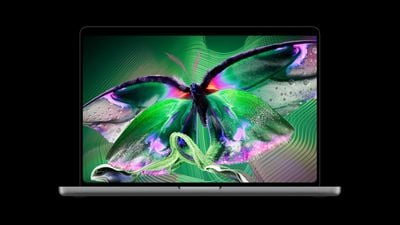
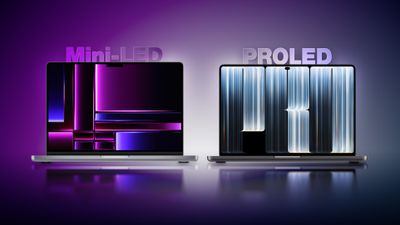
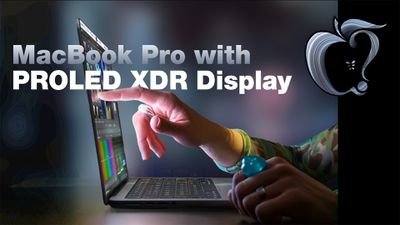
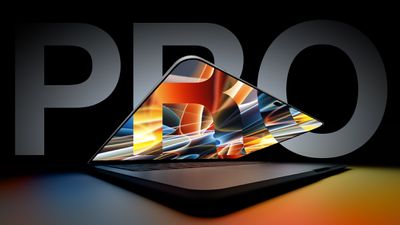
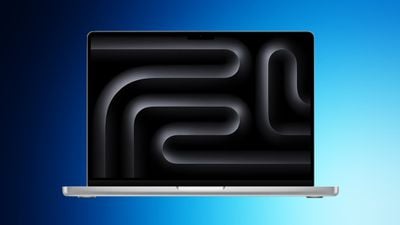
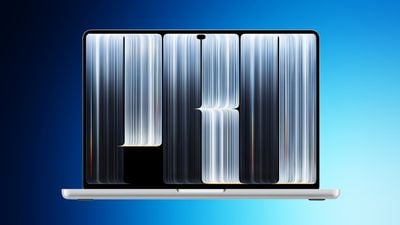
Apple's new MacBook Pro with PROLED XDR Display features tandem OLED technology, touchscreen input, the Dynamic Island, and a thinner, lighter design. It joins the existing Liquid Retina XDR models introduced in March 2026, with both versions offering the same M5 Pro and M5 Max chips.
The PROLED models carry a $400 starting-price premium across equivalent sizes and chip tiers. The 14-inch M5 Pro starts at $2,499 with Liquid Retina XDR or $2,899 with PROLED XDR, while the corresponding 16-inch models start at $2,999 and $3,399. With chip options, memory capacities, and battery life unchanged, the decision largely centers on how much you value the new display, touch interaction, and slightly improved portability.
Here are all of the differences between the Liquid Retina XDR and PROLED XDR MacBook Pro models:
Display
Liquid Retina XDR MacBook Pro
PROLED XDR MacBook Pro
Mini-LED-backlit LCD with local dimming
Tandem OLED with two self-illuminating pixel layers
Zone-based backlighting
Individual pixel illumination
Dedicated display engine, compensating for content, temperature, environment, and individual pixel usage over time
1,000,000:1 contrast ratio
10,000,000:1 contrast ratio
Up to 1,600 nits peak HDR brightness
Up to 2,000 nits peak HDR brightness
Up to 1,000 nits outdoor SDR brightness
Up to 1,000 nits sustained full-screen SDR brightness and 2,000 nits peak outdoor SDR brightness
Slimmer display borders and smaller camera cutout with Dynamic Island
Rounded top display corners and square bottom corners
Rounded display corners at all four corners
Standard display or optional nano-texture display
Antireflective coating, fingerprint-resistant oleophobic coating, and optional nano-texture cover glass
Multi-Touch sensor integrated directly into the display panel, rather than layered on top, to reduce latency and bulk
Both versions deliver up to 1,000 nits of sustained full-screen HDR brightness, so PROLED's 2,000-nit peak does not necessarily mean the display is twice as bright across every task. Both retain a 1-nit minimum brightness, True Tone, support for one billion colors, and a 254-pixel-per-inch density.
Reference Modes and Color Workflows
Apple's Liquid Retina XDR and PROLED XDR specification sheets list the following reference-mode differences:
Liquid Retina XDR MacBook Pro
PROLED XDR MacBook Pro
Apple XDR Display (P3-1600 nits)
Apple XDR Display (P3-2000 nits)
Apple XDR Display (P3 + Adobe RGB-2000 nits)
Design and Print (P3-D50)
Design and Print (P3-D50) and Design and Print (Adobe RGB-D50)
Photography (P3-D65)
Photography (P3-D65) and Photography (Adobe RGB-D65)
HDR Photography (P3-D65)
Medical Imaging (DICOM-350 nits), for nondiagnostic review, research, and education
Medical Imaging (DICOM-600 nits), for nondiagnostic review, research, and education
Both versions retain reference modes for HDR video, broadcast television, digital cinema, and sRGB workflows, and both support Pro Display Calibrator.
Design and Dimensions
The weight reduction is more substantial than the change in thickness with the latest models. The measurements below cover both chip tiers in each size:
Liquid Retina XDR
PROLED XDR
Reduction
14-inch height
1.55 cm
1.50 cm
3.2%
14-inch width
31.26 cm
31.08 cm
0.6%
14-inch depth
22.12 cm
21.63 cm
2.2%
14-inch M5 Pro weight
1.60 kg
1.38 kg
13.8%
14-inch M5 Max weight
1.62 kg
1.40 kg
13.6%
16-inch height
1.68 cm
1.60 cm
4.8%
16-inch width
35.57 cm
35.55 cm
0.1%
16-inch depth
24.81 cm
24.42 cm
1.6%
16-inch M5 Pro weight
2.14 kg
1.82 kg
15.0%
16-inch M5 Max weight
2.15 kg
1.84 kg
14.4%
The redesign also changes the hinge, cooling system, and rear Apple logo:
Liquid Retina XDR MacBook Pro
PROLED XDR MacBook Pro
Previous standard hinge design
Redesigned hinge for greater stability during touchscreen use
Previous standard thermal architecture
Redesigned thermal architecture redirects warm air away from the display; Apple says sustained M5 Pro and M5 Max performance is maintained
Redesigned tweeters shape sound dispersion to improve clarity
Dedicated audio tuning for closed-lid use with an external display
12MP Center Stage camera with computational video
12MP Center Stage camera with computational video and advanced video stabilization to reduce camera-feed shake during touchscreen use
Camera resolution, Center Stage, Desk View, and 1080p recording remain unchanged, as do the six-speaker count, Spatial Audio support, and three-microphone array.
Genlock synchronizes display refresh with camera capture
14-inch battery capacity: 72.4Wh
14-inch battery capacity: 72.6Wh
16-inch M5 Max: 70W minimum recommended charging
16-inch M5 Max: 94W minimum recommended charging
M5 Pro storage remains limited to 1TB, 2TB, or 4TB. The external-display refresh-rate increases apply to the specific arrangements listed above, rather than every resolution and monitor combination. It is also worth noting that the slightly larger 14-inch battery seemingly does not increase endurance.
Touch and Dynamic Island
Liquid Retina XDR MacBook Pro
PROLED XDR MacBook Pro
Keyboard, trackpad, and pointer input
Keyboard, trackpad, pointer, and direct onscreen Multi-Touch input
Scrolling, zooming, and dragging through the trackpad or other input devices
Additional direct onscreen swiping, pinch-to-zoom, and drag-and-drop gestures
Window controls operated through the keyboard, trackpad, or pointer
Additional touch gestures, including double-tapping a window to fill the screen and flicking to tile it
macOS translates onscreen touches into clicks for existing applications
Touch-specific interactions through updated gesture APIs
Camera "notch"
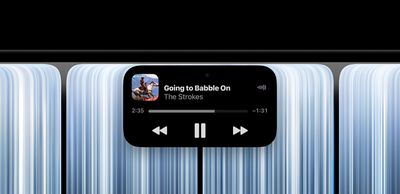
Dynamic Island for Live Activities and controls, including music playback, phone calls, AirDrop requests, and more
Spotlight
Spotlight moves into Dynamic Island when Siri AI is available and enabled
Accessibility controls
Additional listed AssistiveTouch and Touch Accommodations features
Environmental Differences
Liquid Retina XDR MacBook Pro
PROLED XDR MacBook Pro
45% recycled content
55% recycled content
50% renewable manufacturing electricity
45% renewable manufacturing electricity
100% recycled tantalum in multiple capacitors, a first for Apple
Pricing and Availability
Current U.S. starting prices put PROLED $400 above each corresponding Liquid Retina XDR model:
Liquid Retina XDR
PROLED XDR
14-inch M5 Pro
$2,499
$2,899
16-inch M5 Pro
$2,999
$3,399
14-inch M5 Max
$4,099
$4,499
16-inch M5 Max
$4,399
$4,799
Launch date
March 11, 2026
November 6, 2026
The Liquid Retina XDR models remain in Apple's lineup. Their current prices reflect increases since their March introduction, so comparing original launch prices exaggerates the present starting-price premium for PROLED.
Is It Worth Upgrading?
For most existing M5 Pro and M5 Max MacBook Pro owners, there is little reason to upgrade. Both versions use the same chips, so equivalent configurations should deliver essentially the same processing performance. Neither the maximum memory capacity nor battery life has increased.
The strongest exceptions are professionals who need the OLED display's advanced capabilities, genlock, or more than 8TB of internal storage. Adobe RGB coverage and additional reference modes may address specific requirements for photographers, designers, and other professionals, while the 16TB option accommodates projects that exceed the older model's storage ceiling. These are essentially reasons to upgrade for a particular workflow, rather than for better everyday performance.
The touchscreen is a welcome addition for some users, but it is highly unlikely to justify replacing a recent MacBook Pro by itself. The reduced weight may matter more to frequent travelers, especially those carrying a 16-inch model daily, although it remains a secondary consideration for most owners since the changes are relatively minor.
The upgrade case is stronger for users coming from an M1-, M2-, or M3-generation MacBook Pro, particularly when their current machine is struggling with demanding work or has insufficient memory or storage. The existing configuration and the work it needs to perform matter more than its age alone.
Owners whose current machine remains capable should also consider waiting. M7 Pro and M7 Max models are reportedly planned for late 2027, potentially offering a major chip upgrade alongside this new display and design.
Which Should You Buy?
For buyers who need a new MacBook Pro now, the PROLED model is the stronger choice when the $400 starting-price premium is affordable and the built-in display will be used frequently. Its OLED panel is the main reason to pay more, while touch input, reduced weight, and improved speakers make the overall package more appealing. Users who need its advanced display and production capabilities have the clearest reason to choose it.
The Liquid Retina XDR model remains a sensible option when discounts create a substantial saving, particularly for users who work primarily with an external monitor, but it is important to remember that it uses a five-year-old design. It is still the better purchase when the saving allows you to afford the memory or chip configuration your work requires.
Apple announced an array of new products this week, including the iPad mini 8, M6 iMac, M6 14-inch MacBook Pro, and PROLED XDR MacBook Pro. With new product announcements comes pre-orders, and below we're tracking all of the best places to get your pre-orders in for each device.
Note: MacRumors is an affiliate partner with some of these vendors. When you click a link and make a purchase, we may receive a small payment, which helps us keep the site running.
Across the board, these new products will all launch on November 6. This is one week before Apple debuts the new Apple TV 4K and Apple HomeView, which are also both up for pre-order now as well.
iPad Mini 8
Apple's iPad mini 8 starts at $699.00 for the 128GB Wi-Fi tablet, and this generation comes in just two colors: Midnight and Starlight. Amazon, B&H Photo, and Best Buy all have pre-orders up, but only Best Buy has any sort of offer for early adopters: a $50 Best Buy gift card.
If you're shopping for the M6 14-inch MacBook Pro, Best Buy is offering $100 gift cards with all pre-orders of the new computer. Otherwise, you'll find pre-orders live at Amazon and B&H Photo as well.
Similar to the M6 MacBook Pro, Best Buy is offering $100 gift cards with the pre-order of any PROLED XDR 14-inch and 16-inch MacBook Pro. If you're not interested in the extra Best Buy cash, you can pre-order the touch display computer at Amazon and B&H Photo too.
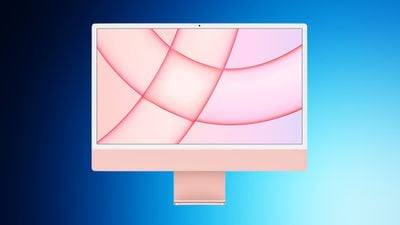
The M6 iMac starts at $1,499.00 for the 16GB RAM/256GB SSD model, and comes in the same color options as the previous generation. Similar to the iPad mini 8, we're tracking pre-orders on the iMac at Amazon, Best Buy, and B&H Photo, but no offers on this one.
If you're on the hunt for more discounts, be sure to visit our Apple Deals roundup where we recap the best Apple-related bargains of the past week.
Deals Newsletter
Interested in hearing more about the best deals you can find as we head into the holidays? You can sign up for our Deals Newsletter and we'll keep you updated so you don't miss the biggest deals of the season!
Following more than two weeks of pre-orders, the HomePod mini 2 will begin arriving to customers and launch in stores this Friday, October 30.
Siri AI will be one of the HomePod mini 2's key upgrades, but the feature will not be available at launch. Apple said Siri AI support on the speaker will arrive in a future software update, but it did not say when the update will be released.
Siri AI is the more intelligent and personalized version of Siri powered by Apple Intelligence that launched on the iPhone 15 Pro and newer in September.
HomePod mini 2 is powered by the Apple Watch Series 10's S10 chip, up from the Apple Watch Series 5's S5 chip in the original HomePod mini. Apple said the S10 chip enables "advanced computational audio," but it did not explicitly confirm if the HomePod mini 2 has improved sound quality compared to the original model.
The speaker now supports faster Wi-Fi 6E, up from Wi-Fi 4.
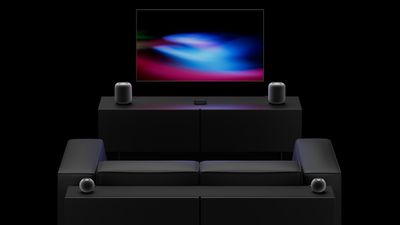
The new fourth-generation Apple TV 4K can connect to four HomePod mini 2 or full-sized HomePod 2 speakers in front and rear pairs, allowing for surround sound. Many home theater enthusiasts will prefer to use a proper 5.1 surround sound system with a center speaker and a subwoofer, but this basic all-Apple system at least exists now, and Apple says the front two HomePods virtualize the center channel to some extent.
You can mix and match HomePod mini 2 and full-sized HomePod 2 speakers for surround sound, so long as the front and rear pairs match. For example, you could have two full-sized HomePod 2 speakers as the front pair and use two HomePod mini 2 speakers as the rear pair. A related Whole Room Audio feature is offered for parties.
There are three Siri microphones in the HomePod mini 2, down from four in the previous model.
With the new Sound Glow feature, the top of the HomePod mini 2 glows and pulses in sync with the music playing. You do not need the new model, though, as a software update extended this feature to the original HomePod mini and the full-sized HomePod 2.
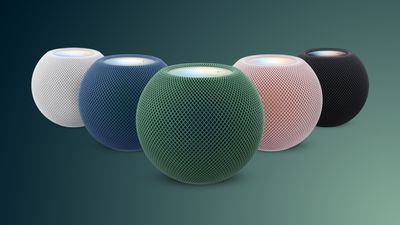
HomePod mini 2 is available in all-new green and pink color options, along with blue, midnight, and white. In the U.S., the speaker is priced at $149. The previous model was initially $99, but Apple increased the price to $129 in June.
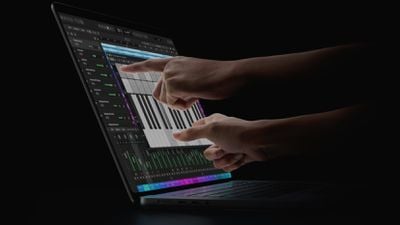
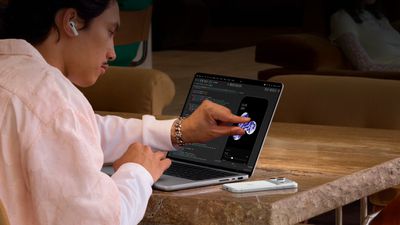
Apple announced a new MacBook Pro with PROLED XDR Display on Wednesday. It's Apple's first Mac with a screen that supports touch, and demonstrations Apple gave to the media show how macOS reshapes its controls for finger input. Menu bar items expand under a fingertip, window controls get bigger, and the Dynamic Island pulls down into a floating widget, amongst other changes.
Back in 2016, then-senior VP of marketing Phil Schiller (now Apple Fellow) argued that putting touch on a Mac display would mean "totally redesigning the menu bar for fingers" – something he said would clash with pointer devices. Apple's modern solution, however, is more subtle. The menu bar looks the same, but when you move a finger over a menu item, it expands to let you make a selection with more precision.
The same idea applies elsewhere in the macOS interface. For example, the traffic-light buttons that control window size and position also get bigger when you touch them, after which you make your selection with a tap. You can also swipe up from the bottom of the screen to reveal a hidden Dock.
A Pull-Down Dynamic Island
Elsewhere, the new MacBook Pro replaces the notch with a Dynamic Island where Spotlight, Live Activities, and Siri AI live. You can pull down on the Dynamic Island to open an expanded version that floats on the screen like a widget, giving you access to Siri responses and Spotlight search.
Apple says macOS automatically translates touch into clicks, so many existing apps will work with touch right away – no developer updates required. Possible interactions include swiping to scroll a webpage, pinching to zoom in on a photo, dragging and dropping slides between presentations, and double-tapping a window to fill the screen.
The foundation has been visible in macOS for months. macOS Golden Gate added iPhone-style pull-to-refresh gestures in apps like Safari, Mail, and Calendar, while code in macOS 27.2 added touch-specific gesture recognition in Safari, Notes, Photos, and Quick Look.
Precision Work in Pro Apps
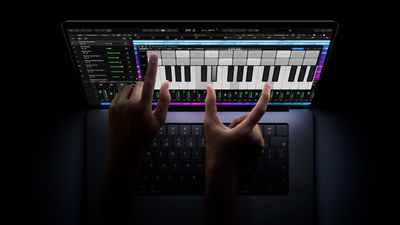
It appears that touch isn't just for casual swipes either. Pro application features have also been updated to work with fingers, such as color grading in DaVinci Resolve and tweaking soundtracks in Logic Pro.
How well the interactions hold up in daily use is something we'll only be able to judge when the new MacBook Pro arrives in customers' hands. The machines are available to pre-order now, starting at $2,899 for the 14-inch model and $3,399 for the 16-inch model. They officially launch on Friday, November 6.
Apple's iPhone Duo launched on Friday, October 23 in markets around the world. Keep reading if you're the lucky owner of Apple's first foldable iPhone. Whether you're upgrading from an older iPhone or completely new to Apple, this guide will help you get the most out of your new device.
With the first iPhone Duo units now in customers' hands, MacRumors has put together the following series of dedicated how-to articles explaining all the new features to be found on Apple's latest model.
Apple Store pickup resumed on October 24 in the U.S., Canada, the U.K., and several other countries after being unavailable since pre-orders, but inventory remains extremely limited. As of Thursday, October 29, no iPhone Duo configuration was available for pickup at any of the 162 U.S. Apple Stores we checked across 16 major metro areas, but it's worth checking pickup availability often on Apple's iPhone Duo order page in case small quantities of inventory become available.
Apple's online stores currently quote shipping in late January 2027 for all iPhone Duo configurations, though Apple said earlier this month that it is working to satisfy demand "as quickly as possible," and some pre-order customers have already seen their estimates move up.
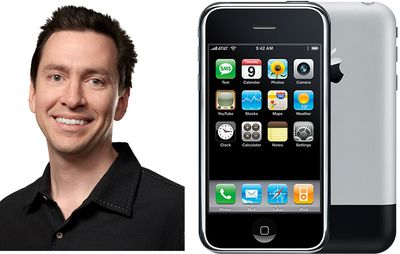
Fourteen years ago today, Apple announced that iOS chief Scott Forstall would leave the company the following year, serving as an advisor to Tim Cook in the interim. Reports at the time said Forstall refused to sign Apple's public apology for the poor coverage of Apple Maps, dismissing the problems as exaggerated, leaving Cook's name on the letter instead.
Similar to the iPad mini 8 and M6 MacBook Pro, the just-announced MacBook Pro models with PROLED XDR displays have become available for pre-order at Best Buy with a bonus gift card offer. All configurations are eligible for a $100 Best Buy e-gift card with purchase, and membership in Best Buy Plus or Total is not required.
Note: MacRumors is an affiliate partner with some of these vendors. When you click a link and make a purchase, we may receive a small payment, which helps us keep the site running.
Orders placed through Best Buy will be delivered "on or shortly after" the launch date of Friday, November 6, with some configurations also available for in-store pickup on that date. Pricing begins at $2,899 for 14-inch models and $3,399 for 16-inch models.
Most configurations of the new MacBook Pro models are also available for pre-order at Amazon, although there are currently no discounts or bonus offers there yet.
If you're on the hunt for more discounts, be sure to visit our Apple Deals roundup where we recap the best Apple-related bargains of the past week.
Deals Newsletter
Interested in hearing more about the best deals you can find as we head into the holidays? You can sign up for our Deals Newsletter and we'll keep you updated so you don't miss the biggest deals of the season!
It's been a busy October for Apple, and just this week, we got a new OLEDiPad mini, an OLED MacBook Pro with a touch display, a new M6 MacBook Pro, and an M6 iMac.
If you missed the news over the last three days, we've rounded up all our coverage in one spot, so it's easy to take a look back.
The MacBook Pro got the biggest update, and it's now the first Mac with an OLED display and touch support. It's a little bit thinner and lighter than the mini-LED models, which are also still on sale, but it unfortunately uses the M5 Pro and M5 Max chips Apple introduced earlier this year. It also got a Dynamic Island, a glowing Apple logo, and a new speaker setup, but prices went up too. The OLED models have a $400 premium over comparable mini-LED models.
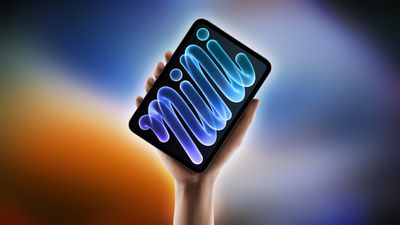
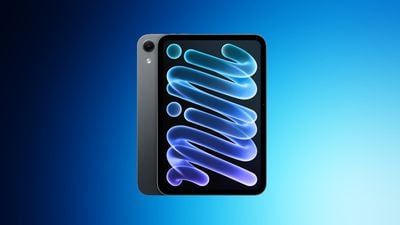
Apple's other big update was the iPad mini, which also has an OLED display. It's the second iPad to get OLED after the iPad Pro, and it's the first iPad with an official water and dust resistance rating. It uses a new acoustic display setup, helping it earn an IP67 rating, so it'll hold up to brief submersion and splashing.
The base 14-inch MacBook Pro and the iMac got M6 chips, but not much else.
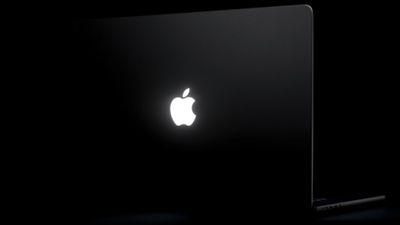
In a hands-on video shared on his YouTube channel UrAvgConsumer, Judner Aura showed off the glowing Apple logo and revealed that its brightness is tied to the MacBook Pro's display brightness. If you turn up the display brightness, the logo gets brighter, and vice versa. The glowing logo worked the same way on older MacBooks.
Skip ahead to the one-minute mark of the video to see the glowing Apple logo.
Apple never publicly commented on why it removed the glowing logo, but many customers have long wanted it back, and the company has evidently listened.
The new MacBook Pro models are available to pre-order now and launch Friday, November 6.
Rumors about Apple's work on a touchscreen OLEDMacBook Pro started in 2023, when Bloomberg's Mark Gurman said there would be a MacBook Pro with an OLED display and a touchscreen, but OLED rumors date back even further.
We heard a lot about the new Mac over the last few years, and we thought we'd take a look back to see what was right and what was wrong.
OLED
2016 - In 2016, ETNews said Apple was considering OLED displays for future MacBooks.
2019 - The Elec said Apple was in talks with Samsung about OLED displays for a future 16-inch MacBook Pro.
2021 - The Elec said a future MacBook would use an OLED display with a two-stack tandem structure, which is what Apple announced today.
2023 - ETNews claimed Apple was sourcing OLED panels in 14-inch and 16-inch sizes for the MacBook Pro, which turned out to be accurate.
2023 - Apple analyst Ming-Chi Kuo said Apple would release the first MacBook with an OLED display by the end of 2024 at the earliest, which was incorrect.
Touch
2023 - Bloomberg's Mark Gurman was the first to report on a touch display. In January 2023, he said Apple was working on an OLED MacBook Pro with a touchscreen.
2025 - Kuo said in September 2025 that the OLED MacBook Pro would have touch sensors integrated into the display panel's top layer, which was correct.
No Notch/Dynamic Island
2024 - Omdia said in December 2024 that Apple would remove the notch from the MacBook Pro "in a few years," replacing it with a hole-punch camera. The hole-punch aspect wasn't quite correct.
2025 - In August 2025, Omdia said an OLED MacBook coming in 2026 would have an iPhone-like Dynamic Island cutout instead of a notch.
2025 - In October 2025, Gurman said the OLED MacBook Pro would have a "so-called hole-punch design" with a "display area around the sensor" similar to the Dynamic Island.
2026 - In February 2026, Gurman described the Dynamic Island as interactive and able to contextually expand based on the app or Mac feature in use.
Hinge
2025 - Gurman was the first to mention a reinforced hinge that would keep the display from moving when touched.
Design
2024 - In November 2024, Gurman said the MacBook Pro would have a thinner design, which was accurate.
2026 - In October 2026, Gurman said he didn't expect the MacBook Pro would be "significantly thinner," tempering expectations.
2026 - In October 2026, he said the MacBook Pro models would be "significantly lighter."
Chips
2025 - In October 2025, Gurman predicted the OLED MacBook Pro models would use M6-series chips, and in November, he specified M6 Pro and M6 Max chips.
2026 - In June 2026, Gurman said there would be no M6 Pro or M6 Max chips, and the OLED MacBook Pro would instead use M5 Pro and M5 Max chips.
2026 - In September 2026, Omdia said the OLED MacBook Pro would have an M5 Ultra chip option, which was wrong.
Pricing
2026 - In March 2026, Gurman said the OLED MacBook Pro models would be more expensive and would be above the mini-LED MacBook Pro models, which was correct.
2026 - Just a day before the MacBook Pro models were announced, Gurman accurately predicted the $2,899 and $3,399 pricing.
Naming
March 2026 - Gurman suggested Apple was working on a "MacBook Ultra," but he did hedge and say Apple might not use the Ultra naming.
April 2026 - Macworld claimed Apple would release a MacBook Ultra in late 2026 or early 2027.
October 2026 - MacRumors' Joe Rossignol speculated that Apple could call the new MacBook the "MacBook Studio," but that didn't happen.
Launch Timing
2021 - In March 2021, DigiTimes said Apple would release MacBook Pro models with an OLED display in 2022, which was not accurate.
2021 - In November 2021, The Elec said an OLED MacBook Pro would launch in 2025, but also suggested the launch could be postponed.
2023 - When Gurman first reported on the OLED MacBook Pro, he said it would launch in 2025.
2023 - In March 2023, display analyst Ross Young accurately predicted Apple would launch an OLED MacBook Pro in 2026, but he also incorrectly claimed an OLED MacBook Air would come first in 2024.
2025 - In August 2025, Dealsite.co.kr said Apple would launch a MacBook Pro with OLED in late 2026, which was accurate.
2025 - In September 2025, The Elecalso said the OLED MacBook Pro would launch in the fourth quarter of 2026.
2025 - In October 2025, Gurman updated his launch timing prediction to late 2026 or early 2027.
2026 - In February 2026, Gurman said the MacBook Pro would launch in 2026, though in April he went back to 2026 to 2027 and said the touchscreen MacBook Pro launch timing could slip to the end of his predicted window because of the chip shortage. By September, he updated timing to "later this year," and he mentioned a November 6 launch on October 15.
Not Rumored
Some features in the new MacBook Pro were never rumored and came as a surprise.
Illuminated Apple logo
Up to 16TB storage
Revamped speakers
PROLED XDR naming
Wrap Up
Most of the rumors about Apple's OLED MacBook Pro were right, and Gurman scored a win being the first to suggest it would also have a touchscreen. Launch timing was harder to pin down, partly because Apple's plans shifted over the years, and more recently, because of the ongoing RAM shortages.
This is in addition to Apple still accepting pre-orders for the HomePod mini 2, which launches this Friday, October 30, and the Apple HomeView smart home hub and fourth-generation Apple TV 4K, which launch on Friday, November 13.
You can also order the fourth-generation Siri Remote separately and use it with the second-generation Apple TV 4K or newer, but the Precision Finding feature requires a paired iPhone Duo, iPhone Air, iPhone 17, iPhone 17 Pro, or iPhone 17 Pro Max.
If you're eager to change your screen time habits – like staying off Instagram or reading more books – the iPhone Duo may offer a solution. It's the first iPhone with two screens, and there's a trick that you can use to make it consistently open a specific app whenever you unfold it and look at the bigger display.
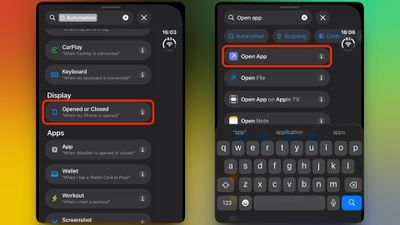
In the Shortcuts app, there's a new iPhone Duo trigger called "Opened or Closed" that runs an automated action when the device is unfolded or folded. One of the best uses for it, I've found, is launching a specific app the moment you open your Duo – so that unfolding the phone takes you straight into the app experience you're expecting, and nothing else distracts.
I've always been keen to read more on my iPad, so in this example, I'll show you how to make the iPhone Duo launch the Kindle app whenever you unfold the device. It makes flipping the phone open feel like opening a book to where you left off. But you can substitute any app you like. The following steps show you how it's done.
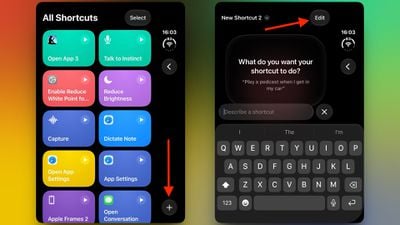
Open the Shortcuts app on your iPhone Duo.
On the "All Shortcuts" screen, tap the plus (+) button in the bottom-right corner.
On the "What do you want your shortcut to do?" screen, tap Edit in the top-right corner.
Tap the Search field at the bottom of the editor, type "Automation," then under the "Display" section, tap Opened or Closed ("When my iPhone is opened").
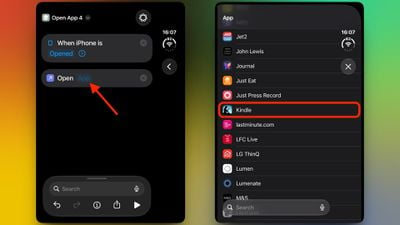
Select Opened as the trigger in the editor screen, then search for the Open App action.
Tap the App placeholder in the "Open App" action, then choose the app you want to launch. In this example, we'll choose Kindle.
Now leave the Shortcuts app – the automation saves automatically and is active right away. You can rename the shortcut if you like, but it's not required.
That's all there is to it. Now when you open your iPhone Duo, your chosen app will launch automatically.
If you'd rather run an action when you close your Duo, simply choose Closed as the trigger instead, or select Opened or Closed to run it both ways. The Shortcuts app also allows you to add conditions to an automation, like a time or a focus mode, ensuring that it only triggers when your chosen conditions are met.
This new automation opens up many possibilities. Let us know what you come up with in the comments below.
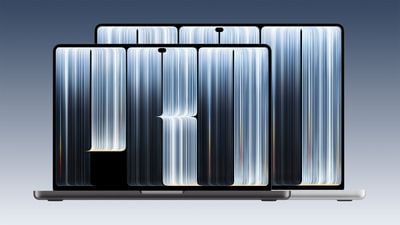
The OLEDMacBook Pro models look a lot like the prior mini-LED MacBook Pros, but Apple did make some design updates. The new machines are slightly thinner and lighter, and the 16-inch model has a larger display thanks to slimmer bezels.
The 16-inch OLED MacBook Pro lists a 16.3-inch display, up from 16.2 inches. The 14-inch OLED MacBook Pro still has the same 14.2-inch display.
Height
14-inch OLED MacBook Pro - 0.59 inches
14-inch mini-LED MacBook Pro - 0.61 inches
16-inch OLED MacBook Pro - 0.63 inches
16-inch mini-LED MacBook Pro - 0.66 inches
Weight
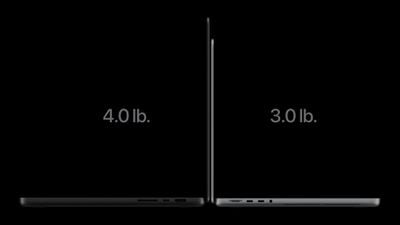
14-inch OLED MacBook Pro - 3 pounds for Pro, 3.1 pounds for Max
14-inch mini-LED MacBook Pro - 3.5 pounds for Pro, 3.6 pounds for Max
16-inch OLED MacBook Pro - 4 pounds for Pro, 4.1 pounds for Max
16-inch mini-LED MacBook Pro - 4.6 pounds for Pro, 4.7 pounds for Max
Compared to the mini-LED models, the OLED models are about half a pound lighter and at least 0.02 inches thinner (about half a millimeter). OLED displays don't need a backlight, which saves weight. The touch sensor is built into the display panel and not layered on top, so it doesn't add bulk.
Apple priced the OLED MacBook Pro models at $400 more than comparable mini-LED models, so the 14-inch MacBook Pro starts at $2,899 and the 16-inch MacBook Pro starts at $3,399.
Best Buy has the first pre-order offers on Apple's new iPad mini 8 and M6 MacBook Pro, with up to $100 in Best Buy gift card credit when purchasing these devices. You don't need to have a My Best Buy Plus or Total membership to see these deals.
Note: MacRumors is an affiliate partner with some of these vendors. When you click a link and make a purchase, we may receive a small payment, which helps us keep the site running.
Starting with the iPad mini 8, you can get a $50 Best Buy gift card when pre-ordering this tablet. The iPad mini 8 starts at $699.00 for the 128GB Wi-Fi model, or $399.00 on Best Buy with a qualifying trade-in.
Moving to the 14-inch M6 MacBook Pro, you can get a $100 Best Buy gift card when pre-ordering the new computer. The M6 MacBook Pro starts at $1,999.00 for the 16GB/1TB model, or $639.00 on Best Buy with a qualifying trade-in.
If you're on the hunt for more discounts, be sure to visit our Apple Deals roundup where we recap the best Apple-related bargains of the past week.
Deals Newsletter
Interested in hearing more about the best deals you can find as we head into the holidays? You can sign up for our Deals Newsletter and we'll keep you updated so you don't miss the biggest deals of the season!
The PROLED MacBook Pro models continue to offer up to 24 hours of battery life despite the switch to a new OLED display and touch capabilities.
Both the PROLED and the mini-LED 14-inch and 16-inch MacBook Pro models offer the same maximum battery life estimates.
16-inch, M5 Max - Up to 22 hours streaming video, up to 16 hours web
16-inch, M5 Pro - Up to 24 hours streaming video, up to 17 hours web
14-inch, M5 Max - Up to 20 hours streaming video, up to 13 hours web
14-inch, M5 Pro - Up to 22 hours streaming video, up to 14 hours web
The mini-LED and PROLED models have the same M5 Pro and M5 Max chips inside, so the display is the main difference between them. The OLED display's efficiency likely offsets the power used by the touch integration. The 14-inch PROLED and mini-LED models have a 72.4-watt-hour battery, while the 16-inch models have a 100-watt-hour battery.
Pricing on the 14-inch MacBook Pro starts at $2,899, while the 16-inch model starts at $3,399. Pre-orders are available now.
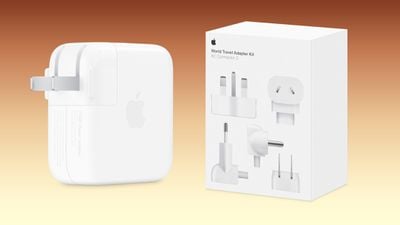
The updated power adapters and extension cable are available on Apple's online store in the U.S. and many other countries around the world.
Apple also released an updated version of its World Travel Adapter Kit that had disappeared from its online store in 2025, with U.S. pricing set at $39. Each of the international AC plugs included in the box now have the AC Connector 2 too.
Apple's power adapters have a removable plug, and the World Travel Adapter Kit contains various plug types for international travel:
The kit includes five interchangeable AC plugs: Type A: North America, Japan Type C: Continental Europe, Brazil Type D: India Type G: United Kingdom, United Arab Emirates, Saudi Arabia, Singapore Type I: Australia, New Zealand
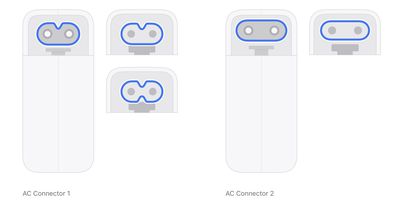
In a new support document, Apple said its updated power adapters, extension cable, and plugs use the AC Connector 2 with a pill-shaped design to comply with "updated regulations." Apple's previous "AC Connector 1" has a notched design.
Apple began rolling out the AC Connector 2 in a few countries earlier this year, leading to some customers complaining about compatibility issues with Apple's older extension cables and World Travel Adapter Kit. Apple has now solved that problem by releasing these updated versions of the accessories with the AC Connector 2.





 The new MacBook Pro models with OLED displays have an accessibility setting that allows you to turn off touch input entirely,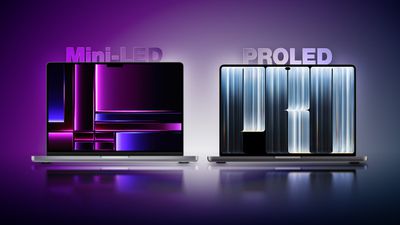

 Fourteen years ago today, Apple